
The search for the best free resume builder can be incredibly frustrating. You spend an hour crafting the perfect document, only to hit a paywall when you try to download it. Many platforms advertise themselves as "free" but then lock essential features, like PDF downloads or removing a prominent watermark, behind a surprise subscription. This bait-and-switch tactic is designed to make you pay up out of desperation.
This guide is different. We've done the heavy lifting for you, rigorously testing dozens of online tools to identify the ones that are truly free or have a free tier that is genuinely useful for job seekers. We cut through the marketing claims to show you exactly what you get without spending a dime. You won't find any hidden costs or last-minute download fees in our recommendations.
Inside this comprehensive roundup, you’ll discover 12 excellent options for creating a professional resume. For each builder, we provide a detailed breakdown covering:
- Real-world limitations: What are the actual restrictions of the free plan?
- ATS-friendliness: Will your resume get past the screening software?
- Ideal use cases: Is this tool best for students, career changers, or experienced professionals?
- Export options: Can you download a high-quality PDF or just a plain text file?
We include direct links and screenshots for every platform, so you can see exactly how they work before you commit. Our goal is simple: to help you find the best free resume builder for your specific career needs and create a standout application without the frustrating paywalls. Let’s dive in and find the right tool to land your next interview.
1. Jobscan: Truly Free ATS-Optimized Resume Builder
Jobscan earns the top spot because it offers a genuinely free resume builder laser-focused on one critical goal: beating the Applicant Tracking System (ATS). Unlike many competitors that lure you in with free templates only to hit you with a paywall to download your finished document, Jobscan’s builder is 100% free with unlimited PDF exports. This commitment to cost-free access makes it the best free resume builder for job seekers prioritizing content and ATS compatibility over flashy design.
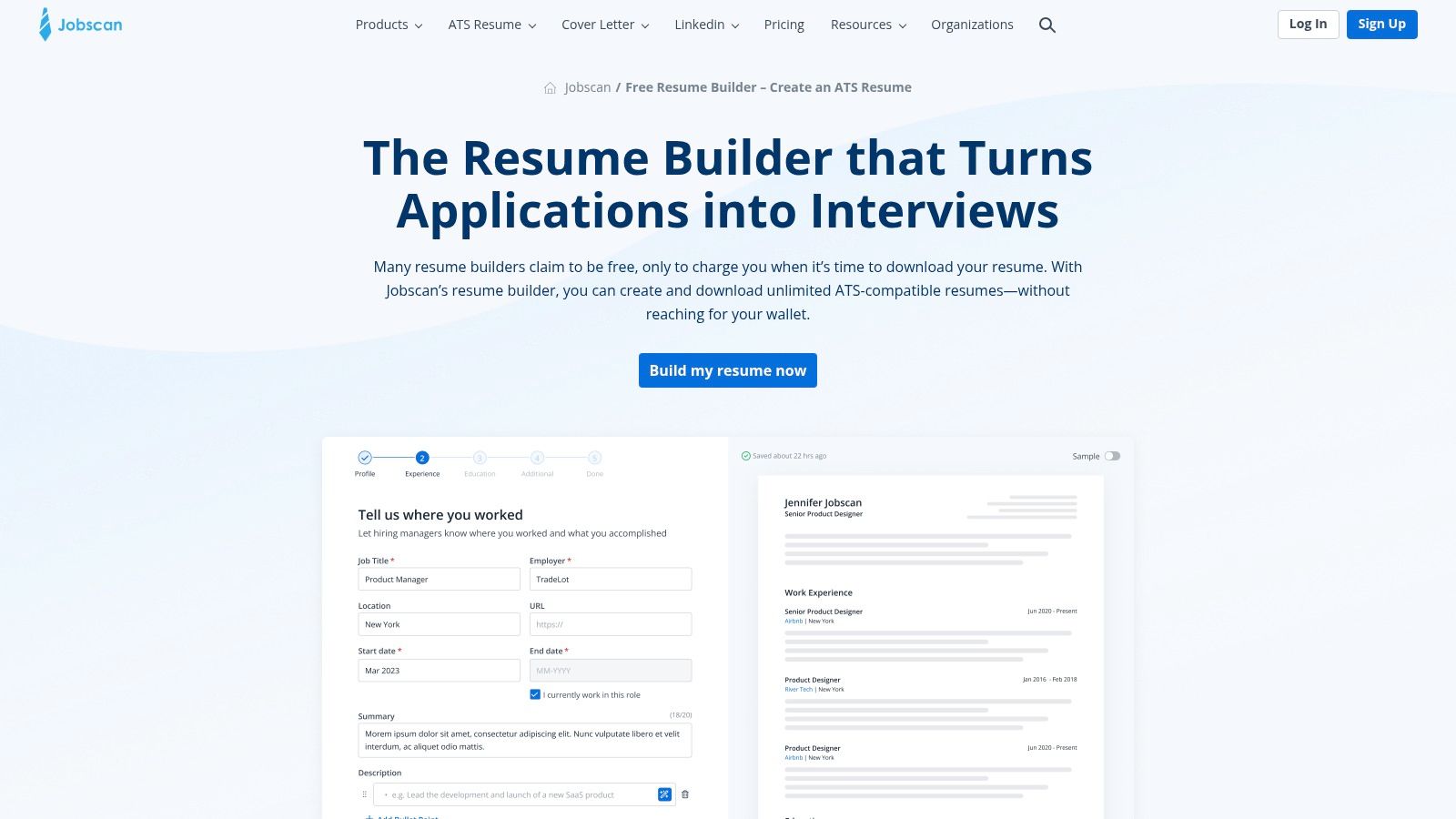
The platform’s strength lies in its integration with its core resume scanning technology. While building your resume, you receive real-time keyword and skill suggestions based on ATS best practices. This ensures your content is optimized from the ground up. Its interface is clean and straightforward, guiding you through each section without unnecessary distractions.
Key Features and User Experience
The builder itself is designed for function over form. The templates are clean, professional, and structured for optimal machine readability. You won't find creative or highly visual layouts here, as the emphasis is on creating a document that parsers can easily scan and understand. For a deep dive into what makes a resume compatible with these systems, you can explore this ultimate guide to ATS-friendly resumes.
- Best For: Job seekers in competitive fields (like tech, marketing, and finance) who need to tailor their resume for every single application.
- Pros: Truly free with no download fees, excellent for ATS optimization, seamlessly integrates with Jobscan's analysis tools.
- Cons: Limited template designs, advanced resume scanning and optimization analytics require a paid subscription.
Website: Jobscan Resume Builder
2. Microsoft Create (Word) – Free resume templates
For those who prefer a familiar and powerful tool, Microsoft Create offers a vast library of free resume templates directly editable in Microsoft Word. This approach stands out by leveraging a platform most professionals already know, eliminating the learning curve associated with new software. It’s an ideal choice for users who want complete control over their document and trust in universally accepted formatting, making it a reliable and truly free resume builder.
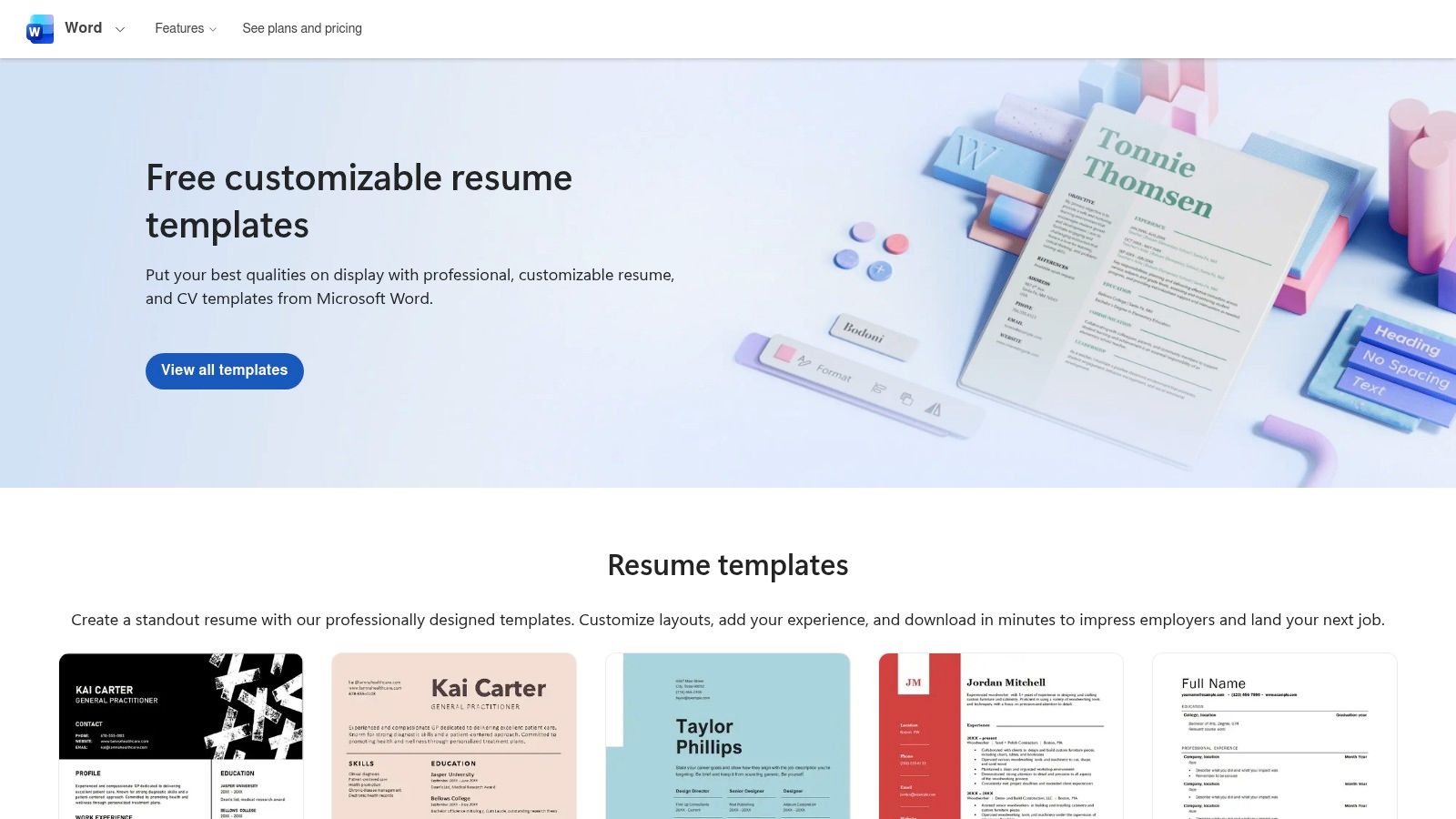
The platform provides dozens of professional, recruiter-friendly layouts that are easy to download and edit either in the desktop or free web version of Word. Unlike dedicated builders, you get unlimited customization potential if you know your way around the program. The templates are designed to meet standard expectations, ensuring your resume is clean, professional, and easy for hiring managers to read.
Key Features and User Experience
The primary strength here is the combination of high-quality design and user familiarity. You simply browse the catalog, find a template that suits your industry and style, and open it directly in Word. The templates are structured logically, making it simple to replace placeholder text with your own information. Once finished, you can easily save the document as a PDF, which is the standard format for job applications.
- Best For: Professionals who are comfortable with Microsoft Word and want full control over the final document without signing up for a new service.
- Pros: Genuinely free templates from a trusted source, utilizes familiar software, and provides excellent, recruiter-approved formatting out of the box.
- Cons: Lacks the AI-powered keyword suggestions of specialized builders and requires some Word knowledge for significant design modifications.
Website: Microsoft Create Resume Templates
3. Canva: Best Free Resume Builder for Visual Impact
Canva secures its spot for job seekers who need a visually striking resume without sacrificing ease of use. While many builders focus solely on text and structure, Canva’s strength is its design-first approach, offering hundreds of aesthetically pleasing, drag-and-drop templates. Its free plan is incredibly generous, providing everything you need to create, download, and even publish a professional-looking resume, making it a top contender among the best free resume builder options for creative roles.
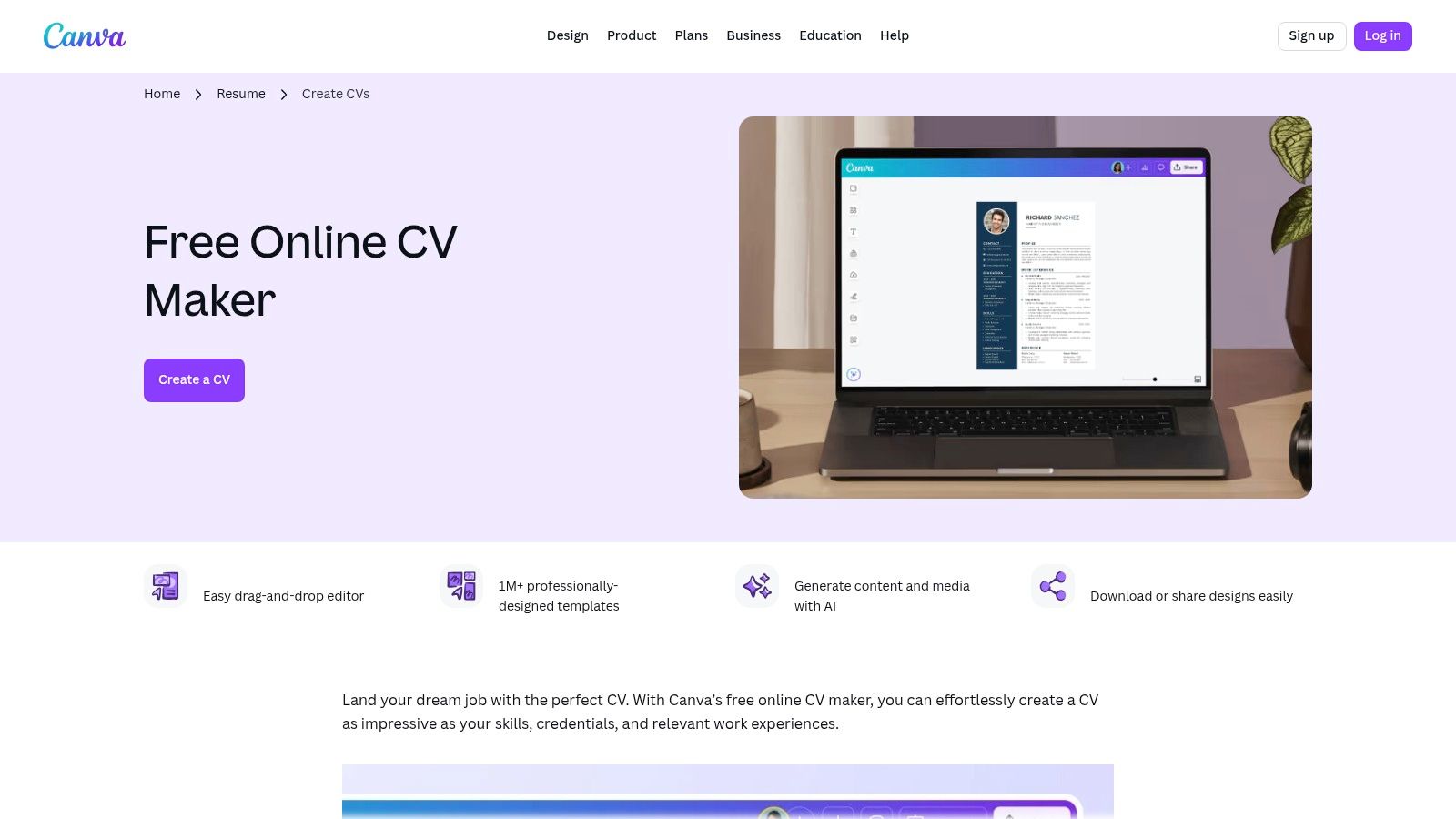
The platform excels at creating a cohesive personal brand. You can easily design a matching cover letter, portfolio, or even a personal website, all within the same interface. The user experience is highly intuitive, making it simple to change colors, fonts, and layouts to perfectly match your style. However, users should be mindful of ATS compatibility, as overly complex designs with graphics or columns can be difficult for automated systems to parse.
Key Features and User Experience
Canva’s editor is what makes it stand out. You have complete creative control, allowing you to add photos, icons, and charts with a simple click. The free tier offers millions of graphic elements and multiple download formats (PDF, JPG, PNG), which is more than enough for most job seekers. For those weighing design flexibility against automated optimization, it's worth exploring a detailed comparison between Canva and AI-powered builders to see which fits your needs.
- Best For: Creatives, marketers, and professionals in visual fields, or anyone needing to create a resume with a strong design element quickly.
- Pros: Massive library of beautiful templates, highly intuitive drag-and-drop editor, allows for matching cover letters and portfolios, truly free PDF downloads.
- Cons: Visually complex templates may not be ATS-friendly, some premium assets and templates require a paid plan.
Website: Canva Resume/CV Maker
4. Adobe Express – Free Online Resume Maker
Adobe Express carves out a niche as the best free resume builder for job seekers who prioritize high-quality, professional design without sacrificing ease of use. Leveraging Adobe's legendary design ecosystem, it offers thousands of visually striking templates that go far beyond basic layouts. The platform operates on a generous freemium model, allowing users to create, customize, and download their resume as a high-resolution PDF for free, a significant advantage over tools that lock exports behind a paywall.
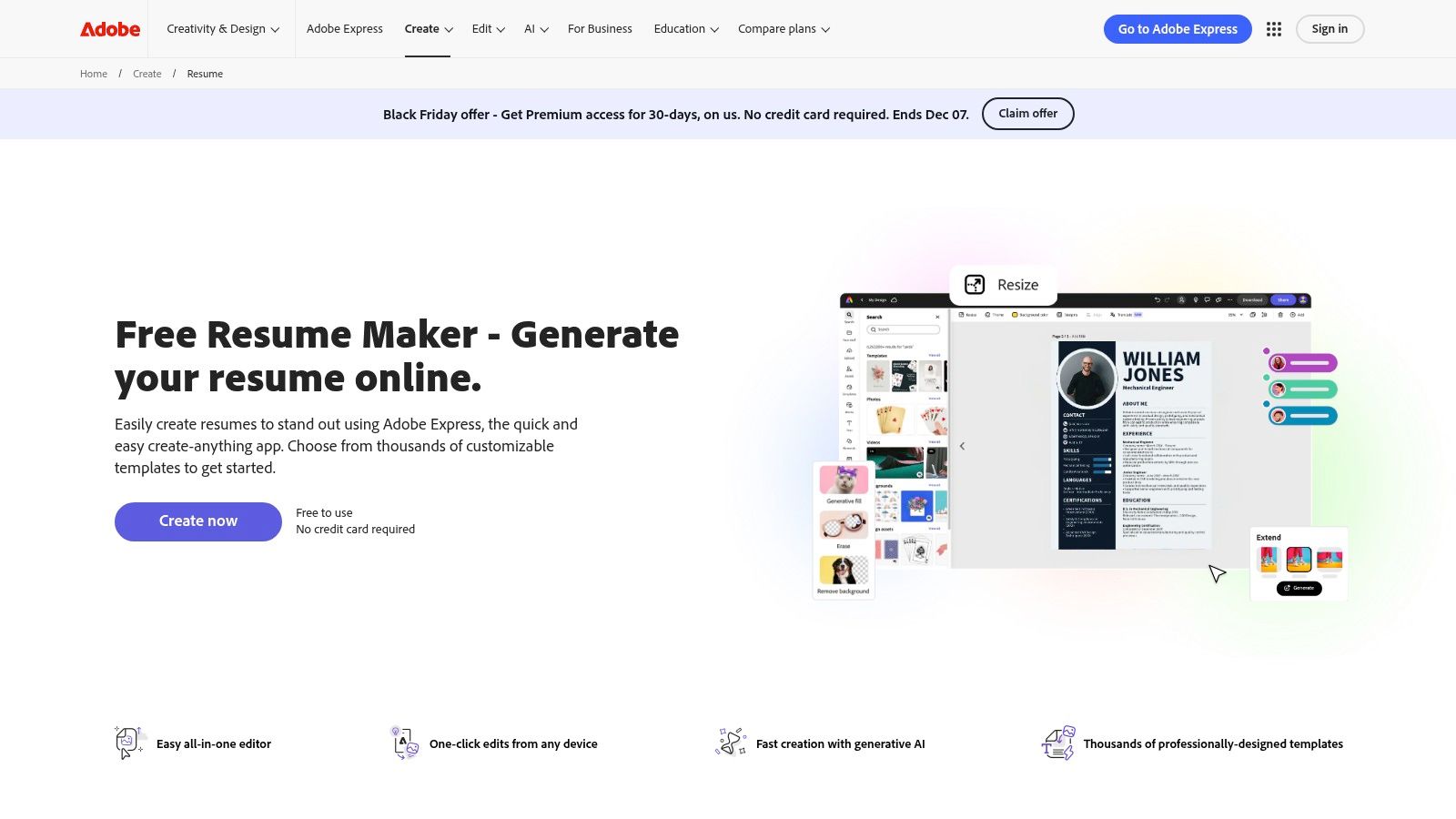
The platform’s strength is its seamless integration of powerful design tools within a simple, web-based editor. Users on the free plan gain access to a curated collection of Adobe Stock photos, icons, and professional fonts, enabling the creation of a polished and branded set of application documents. This makes it an excellent choice for creatives, marketers, and anyone in a role where a visually appealing resume can make a powerful first impression.
Key Features and User Experience
The user experience is smooth and intuitive, mirroring other popular online design tools. You can drag and drop elements, easily change color palettes, and edit text directly on the template. While the focus is heavily on design, the output quality is exceptional. However, users should be mindful to select simpler, single-column layouts or customize templates to ensure they remain ATS-friendly, as some of the more creative designs might not parse well.
- Best For: Creative professionals, marketers, and anyone wanting to create a visually impressive resume and matching personal branding assets (like a portfolio cover or business card).
- Pros: Outstanding template quality and professional design, free PDF downloads without a paywall, access to a large library of free Adobe Stock assets and fonts.
- Cons: The most advanced features and premium assets are reserved for paid subscribers, and its design-heavy templates may require editing to be fully ATS-compatible.
Website: Adobe Express Resume Maker
5. Resume.io – Freemium resume builder
Resume.io offers a polished and intuitive guided experience, making it an excellent freemium option for those who value speed and professional design. While not entirely free for all export options, its builder allows you to create, format, and share a well-structured resume without upfront costs. The platform’s strength is its seamless user interface, featuring a live preview that updates as you input your information, ensuring the final product looks exactly as intended.
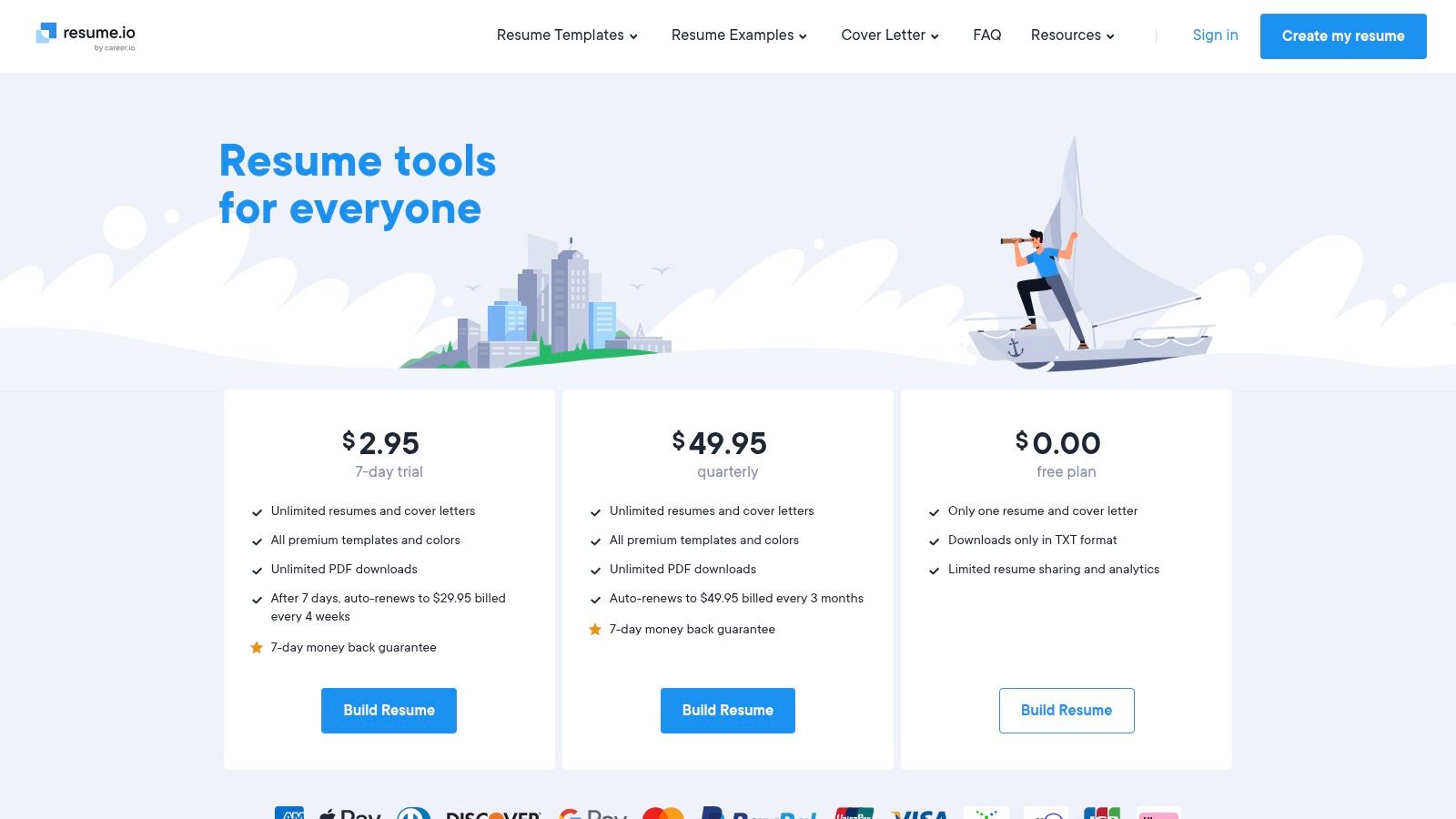
This guided process, combined with ATS-friendly templates, makes it one of the best free resume builder choices for users who want to avoid the hassle of manual formatting. The free plan allows you to download your resume as a basic TXT file, which is useful for copy-pasting into online application forms. Accessing premium PDF and DOCX downloads requires a paid subscription, positioning Resume.io as a "try-before-you-buy" solution.
Key Features and User Experience
The builder excels at simplicity. You are walked through each section step-by-step with helpful prompts and examples, minimizing the chance of leaving out crucial information. The ability to switch between templates instantly without losing your content is a significant advantage, allowing you to experiment with different professional looks. The platform also includes a matching cover letter builder for a cohesive application package.
- Best For: Job seekers who want a fast, guided creation process with professionally designed templates and are willing to consider a paid plan for premium download formats.
- Pros: Very user-friendly interface with a live preview, professionally designed and ATS-aligned templates, includes a cover letter builder.
- Cons: The free download is limited to a TXT file; PDF and DOCX formats require a subscription. Paid plans auto-renew and must be canceled manually.
Website: Resume.io
6. Zety – Freemium AI Resume Builder
Zety operates on a popular "try-before-you-buy" model, allowing you to build your entire resume using its guided, AI-powered interface for free. Its strength is in walking users step-by-step through each section, offering AI-generated suggestions and pre-written bullet points tailored to various roles. This makes it an excellent tool for those who need significant content guidance, as you can construct a complete, well-written document before deciding if you want to pay for a premium export.
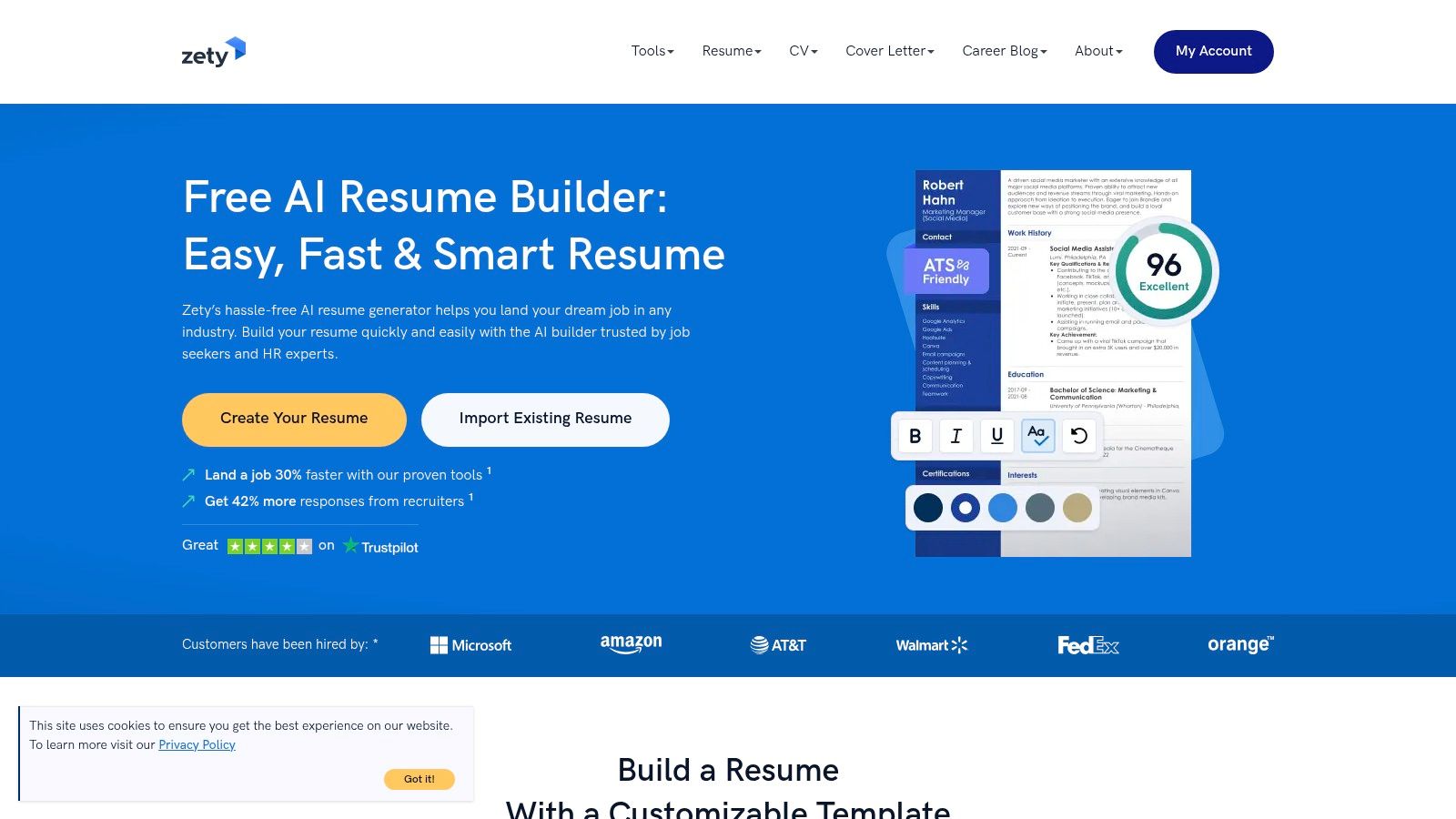
The platform is designed to produce structured, professional resumes that are recruiter-friendly and compatible with most ATS scanners. While the final polished PDF or DOCX file requires a subscription, Zety is transparent about this. You can download a plain text (TXT) version of your resume for free, which contains all your written content. This lets you copy and paste your work into another program for formatting if you choose to bypass the paywall.
Key Features and User Experience
The user experience is highly intuitive, breaking down the resume creation process into manageable steps. Zety's templates are modern and professional, and it offers a matching cover letter builder to ensure your application materials have a consistent look. It stands as a powerful tool in the category of AI-driven builders, which you can explore further in this guide to the best free AI resume builders online.
- Best For: Users who want significant AI-powered writing assistance and are willing to consider a paid subscription for a polished final document.
- Pros: Build your entire resume before any payment is required, excellent AI content suggestions, and includes a matching cover letter builder.
- Cons: Polished PDF and DOCX downloads are behind a paywall, and the subscription can auto-renew if not actively canceled.
Website: Zety Resume Builder
7. Novorésumé – Free 1-page resume builder
Novorésumé secures its spot by offering one of the most functional and visually appealing free plans for creating a single-page resume. Unlike builders that severely restrict features, Novorésumé’s free tier allows you to create a complete, professional one-page document without a paywall for downloading. This makes it an ideal choice for students, recent graduates, or professionals with concise career histories who need a polished resume quickly and without cost.
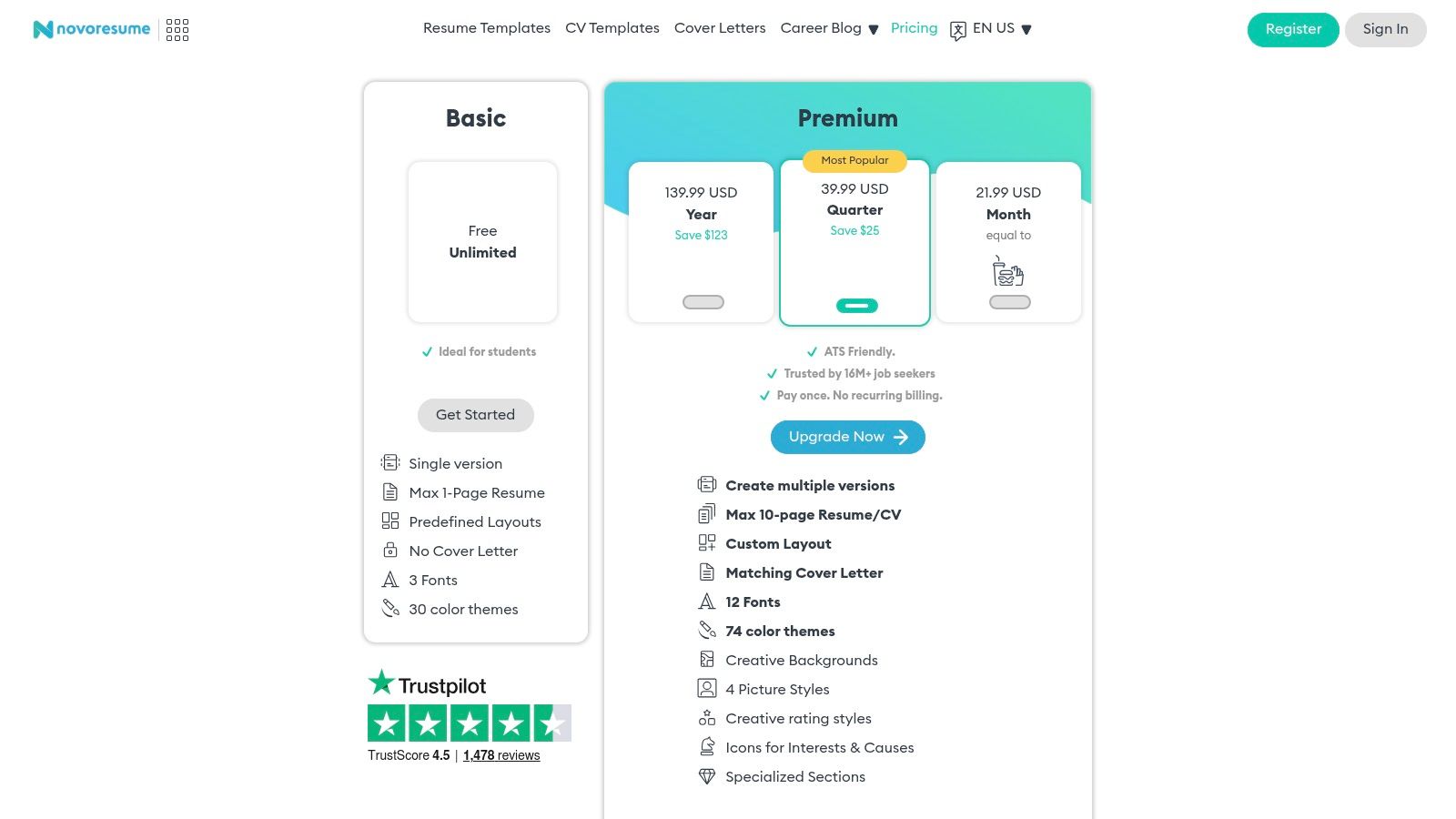
The platform focuses on clean, recruiter-friendly templates that are also designed to be ATS-compatible. The user interface is intuitive, guiding you through each section with helpful tips and examples. While the free version limits you to one resume, it’s a fully usable output, setting it apart from competitors that offer a "free" builder but charge for the final product.
Key Features and User Experience
Novorésumé's templates are modern and professional, striking a good balance between aesthetic appeal and machine readability. The builder provides pre-written content snippets and a content optimizer that scores your resume based on common best practices. Upgrading to a premium plan unlocks multi-page documents, matching cover letter templates, and more extensive customization options like custom layouts and color themes.
- Best For: Students, early-career professionals, and anyone needing a high-quality, single-page resume without a subscription commitment.
- Pros: Genuinely free for a complete one-page resume, clean and modern recruiter-friendly designs, intuitive and easy-to-use interface.
- Cons: The free plan is strictly limited to one page and one document, advanced customization and multi-page resumes require a paid plan.
Website: Novorésumé
8. Standard Resume – Minimal, ATS-friendly builder
Standard Resume offers a streamlined, no-fuss approach to resume building, focusing on clean, professional, and ATS-friendly outputs. Its core philosophy is simplicity, making it a strong contender for the best free resume builder for users who value substance over flashy designs. The platform allows you to import your data directly from LinkedIn to quickly populate your resume, and its free Basic plan provides all the essential tools to create, edit, and download a watermark-free PDF.
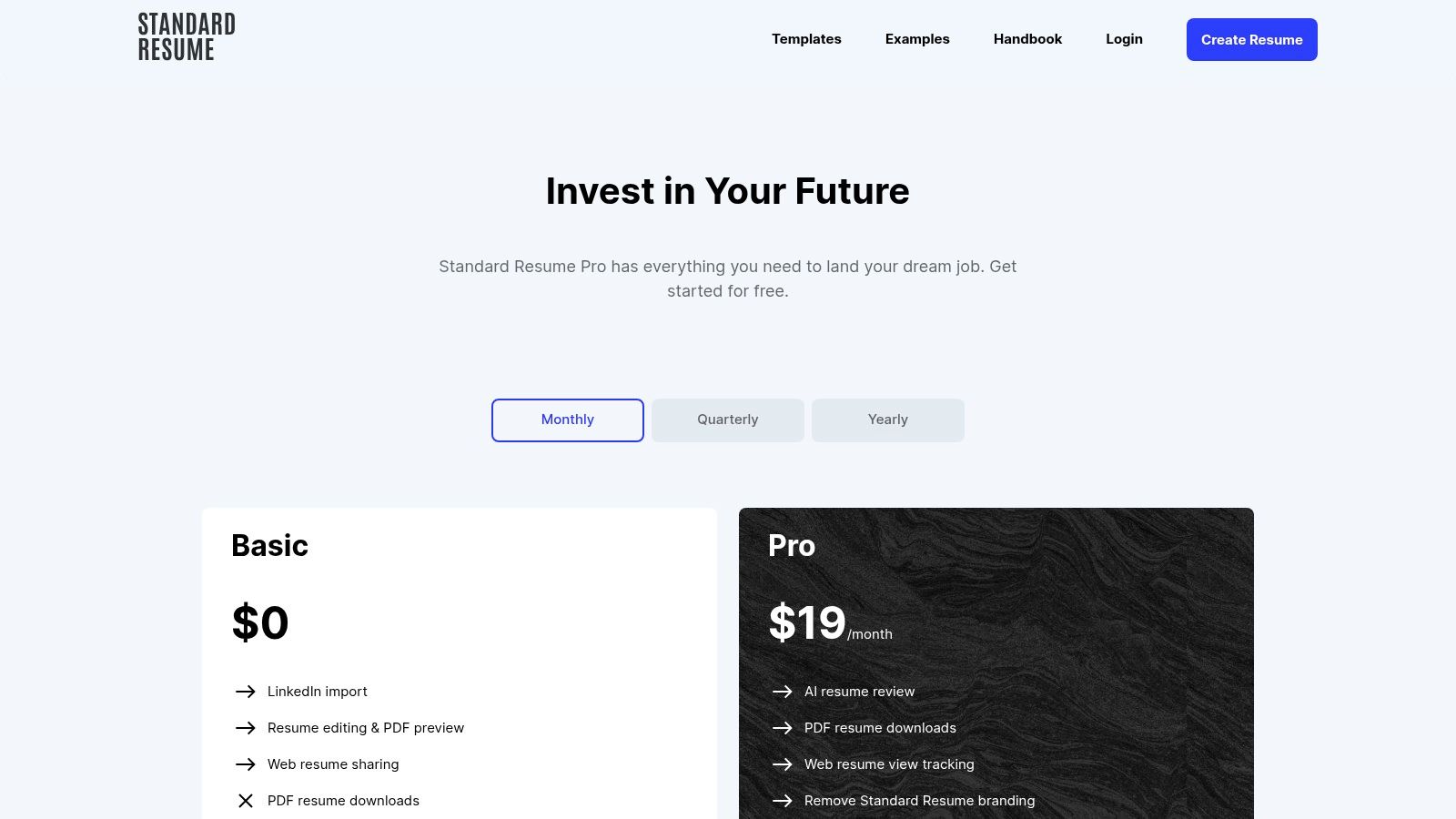
This builder strips away distracting elements, presenting a clean interface that guides you through content creation. The templates are recruiter-approved and designed for maximum readability by both humans and applicant tracking systems. In addition to a PDF, the platform also generates a shareable web version of your resume, adding a modern touch to your job application toolkit without any cost.
Key Features and User Experience
The user experience is incredibly straightforward, aiming to get you from a blank slate to a polished, ATS-ready PDF as quickly as possible. While the free tier is generous, Standard Resume also offers a Pro plan that unlocks features like AI review, view tracking for your shared web resume, and the removal of Standard Resume branding. However, the free offering is robust enough for most job seekers' core needs.
- Best For: Professionals and recent graduates who need a clean, modern, and highly readable resume without getting bogged down in complex design options.
- Pros: Generous free plan with watermark-free PDF downloads, fast LinkedIn import feature, and recruiter-approved, ATS-friendly layouts.
- Cons: Limited number of templates compared to larger platforms, and the customer support team is smaller, which may affect response times.
Website: Standard Resume
9. VisualCV – Resume builder with LinkedIn import
VisualCV bridges the gap between a traditional resume and a modern online portfolio. It stands out by allowing users to import their entire professional profile directly from LinkedIn, significantly speeding up the initial content creation process. This feature, combined with the ability to create a shareable online version of your resume, makes it a powerful tool for professionals who want to build a comprehensive personal brand alongside a standard document. While it offers a solid free tier, its full potential is unlocked with a Pro subscription.
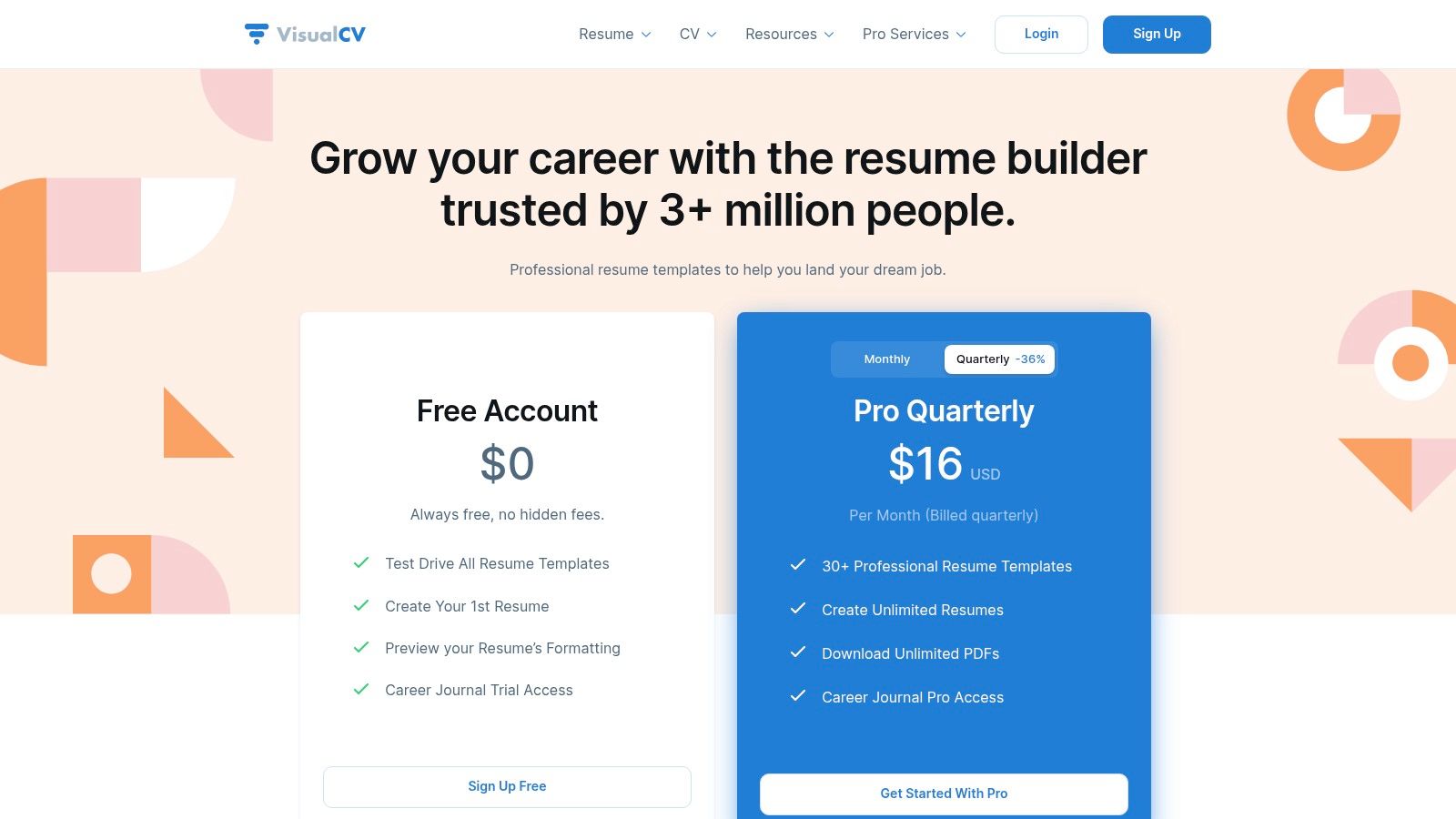
The platform offers over 30 templates that range from classic to contemporary, giving users plenty of design flexibility. The interface is clean and user-friendly, guiding you through the process of either importing data or building from scratch. The concept of a career journal for tracking achievements is a unique touch, helping users maintain an ongoing record of their accomplishments to pull from for future applications.
Key Features and User Experience
VisualCV’s free plan is more of a starting point than a complete solution. It allows you to create one resume using a limited selection of templates and includes a VisualCV branding watermark on the PDF export. The real value is in how it streamlines the workflow for users who already have a well-maintained LinkedIn profile and want to quickly generate a professional resume or a personal landing page.
- Best For: Professionals who maintain an active LinkedIn profile and want to create both a downloadable resume and a shareable online career page.
- Pros: Excellent LinkedIn import saves significant time, combines resume building with online portfolio features, user-friendly interface.
- Cons: The free version is quite limited with watermarked PDFs; full export options and advanced templates require a paid plan.
Website: https://www.visualcv.com/pricing/
10. Jobscan – Free ATS-optimized Resume Builder
Jobscan offers a genuinely free resume builder laser-focused on one critical goal: beating the Applicant Tracking System (ATS). Unlike many platforms that hide a paywall right before you can download, Jobscan’s builder is 100% free with unlimited PDF exports. This commitment to cost-free access makes it one of the best free resume builder options for job seekers who prioritize effective, scannable content over elaborate designs.
The platform’s core strength is its native integration with its well-known resume scanning technology. While you build your document, you receive real-time keyword and skill suggestions based on ATS best practices, ensuring your content is optimized from the start. Its interface is clean and straightforward, guiding you through each section without unnecessary complexity or distractions.
Key Features and User Experience
The builder is designed for function over form. Templates are professional and structured for optimal machine readability, not creative flair. This approach is intentional, as the entire tool is engineered to produce a document that ATS parsers can easily scan and understand. For a deeper look into this crucial topic, you can review this ultimate guide to ATS-friendly resumes.
- Best For: Professionals in competitive fields like tech, finance, and marketing who need to tailor their resume for every single application.
- Pros: Truly free with no download fees or hidden paywalls, excellent for ATS optimization, seamlessly integrates with Jobscan's analysis tools.
- Cons: Limited and basic template designs, advanced resume scanning and optimization analytics require a paid subscription.
Website: Jobscan Resume Builder
11. FlowCV – Free, watermark-free PDF downloads
FlowCV carves out a unique space by offering one of the most generous free tiers available. It allows you to create your first resume completely free, with unlimited, watermark-free PDF downloads and full access to all its templates. This "first one's free forever" model is a refreshing departure from the common industry practice of charging for downloads, making it an excellent choice for anyone needing a single, high-quality document without any hidden costs.
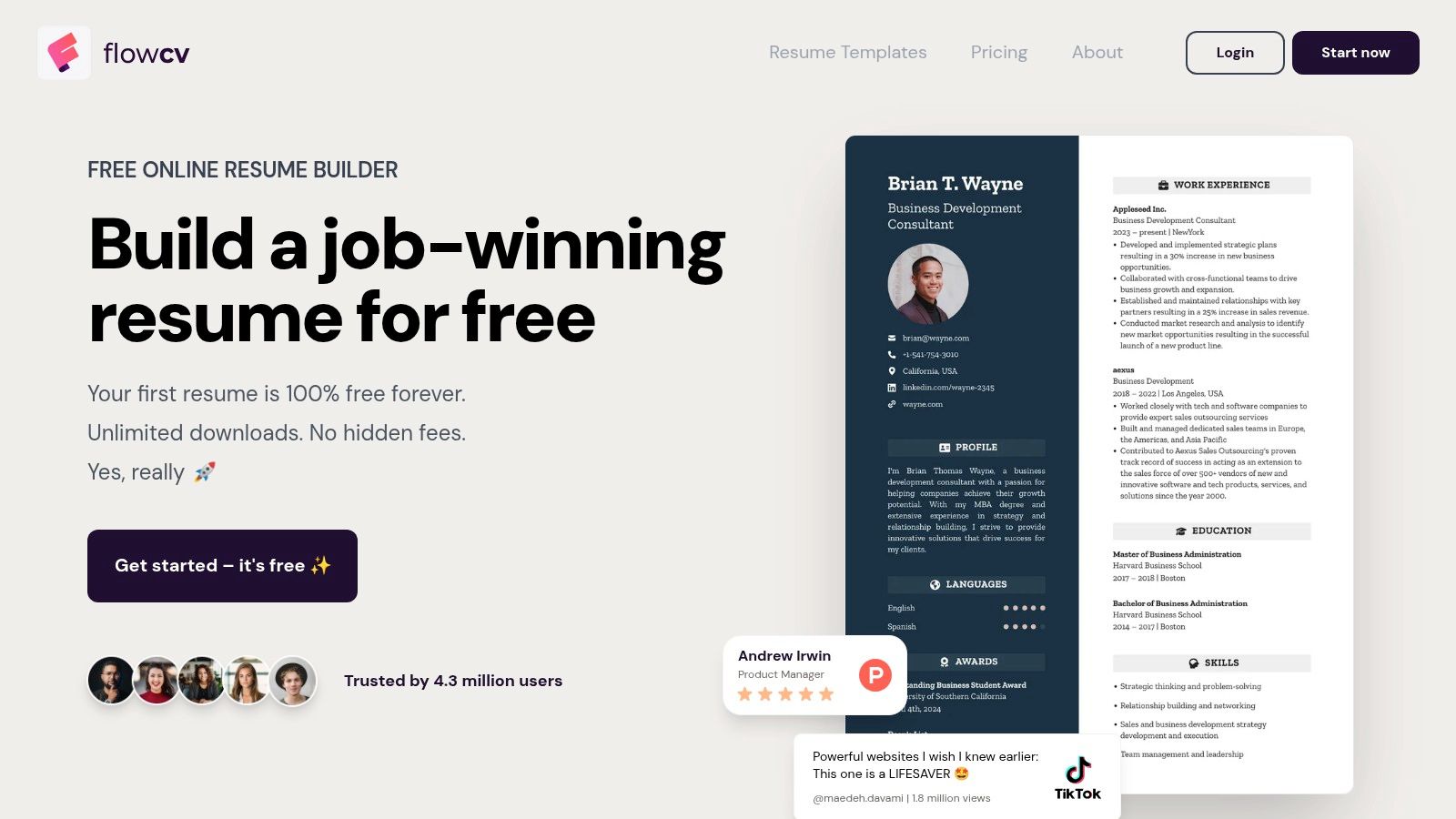
The platform champions a clean, user-friendly interface that balances modern design with ATS-friendly structures. Its templates are highly customizable, allowing you to adjust colors, fonts, and layouts to create a polished, professional look. FlowCV also prioritizes user privacy with a GDPR-compliant approach, a significant plus for users who are cautious about their data. It’s a strong contender for the best free resume builder for those who value both aesthetics and functionality.
Key Features and User Experience
The user experience is smooth and intuitive, guiding you through each section with helpful tips. You can easily reorder sections, change formatting, and see a live preview of your resume as you build it. The ability to generate a shareable web link for your resume is another convenient feature, allowing you to easily send your resume to recruiters or post it on professional networks without attaching a file.
- Best For: Job seekers who need one perfect, beautifully designed resume and want full control over the final PDF without paying.
- Pros: Genuinely free PDF exports without watermarks for your first resume, great balance of design customization and ATS-friendly formatting, strong privacy focus.
- Cons: The free plan is limited to a single resume document, and the platform has a smaller ecosystem of tools compared to larger competitors.
Website: https://flowcv.com/resume-builder
12. Cake (formerly CakeResume) – Free builder with PDF export
Cake distinguishes itself by combining a user-friendly, drag-and-drop interface with a genuinely useful free tier. Unlike many platforms that restrict downloads, Cake allows users to create one professional resume and export it as a PDF at no cost. This makes it an excellent choice for job seekers who need a single, polished resume quickly without hitting an unexpected paywall. The builder focuses on a modern, section-based approach that feels more like assembling a personal webpage than filling out a form.
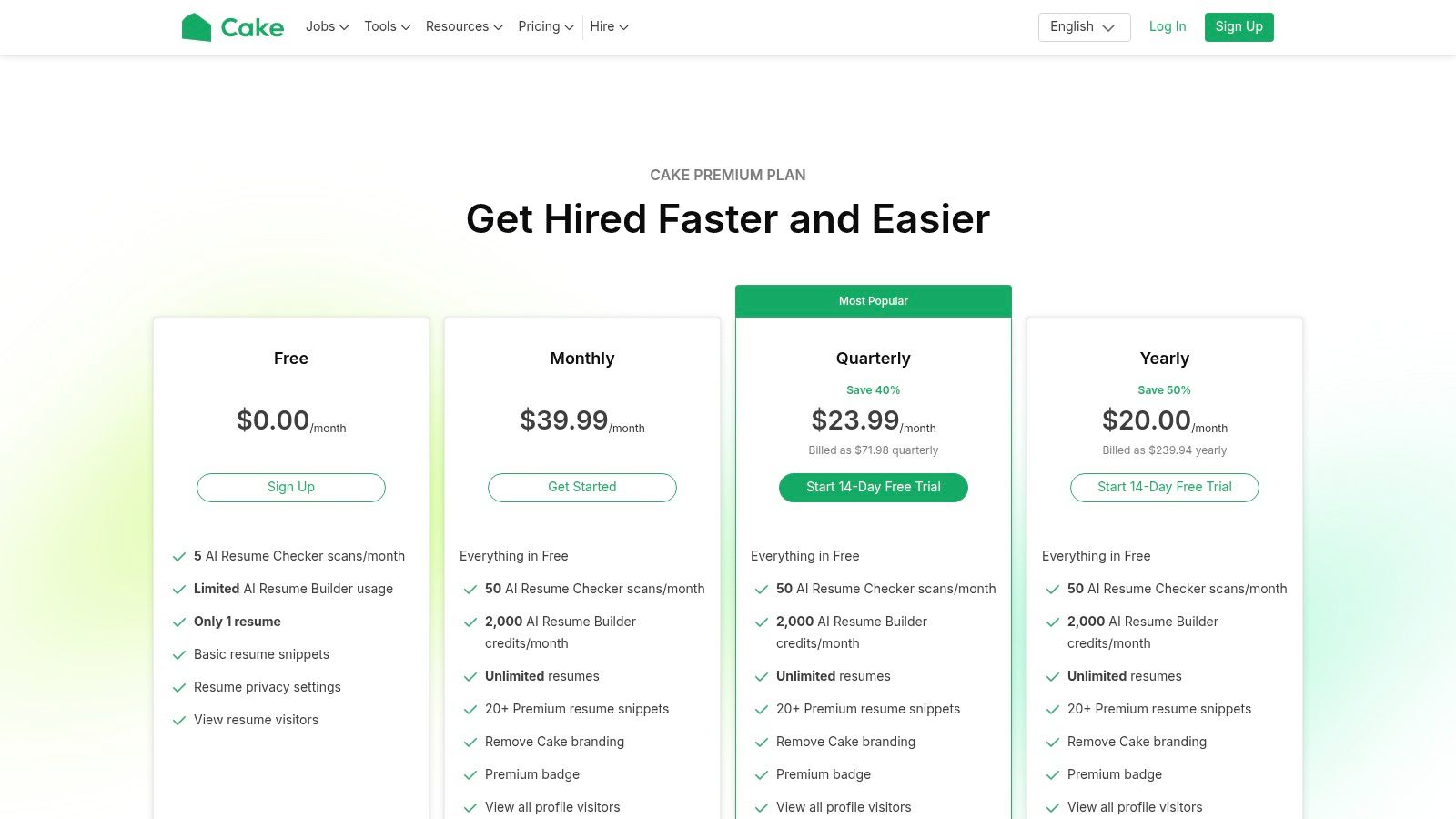
The platform is built for flexibility, offering over 50 templates and various content blocks like text, images, and social media links. Its free plan even includes basic visitor statistics, giving you a glimpse into who is viewing your online resume. For those looking to grow, Cake offers premium features like AI analysis and advanced analytics, but the core building and exporting functionality remains free.
Key Features and User Experience
Cake’s drag-and-drop editor is intuitive, allowing you to easily add, remove, and reorder sections to fit your unique professional story. The templates are clean and modern, suitable for a wide range of industries, particularly those where a touch of visual appeal is beneficial. While it's a strong contender for the best free resume builder, its primary limitation is the single-resume cap on the free plan, which means you'll need to upgrade if you want to manage multiple tailored versions.
- Best For: Creative professionals, freelancers, and students who want to build a visually appealing online portfolio and a downloadable resume simultaneously.
- Pros: Truly free PDF export on the free plan, intuitive drag-and-drop editor, includes portfolio-hosting and basic analytics.
- Cons: The free plan is limited to just one active resume, and pricing is displayed in GBP, which may be confusing for users in other regions.
Website: Cake
Top 12 Free Resume Builders — Feature Comparison
| Tool | Core features ✨ | UX / Quality ★ | Pricing / Value 💰 | Target audience 👥 | Best fit / Unique 🏆 |
|---|---|---|---|---|---|
| Google Docs – Template Gallery | Free templates, real‑time collaboration, PDF/DOCX export ✨ | ★★★★ | 💰 Free | 👥 Broad — students & basic jobseekers | 🏆 100% free + easy sharing |
| Microsoft Create (Word) | Dozens of recruiter‑friendly templates, edit in Word, PDF export ✨ | ★★★★ | 💰 Free (templates) | 👥 Word‑familiar professionals | 🏆 Trusted, recruiter‑expected formats |
| Canva – Resume/CV Maker (free) | Drag‑and‑drop visual editor, huge template library, publish site ✨ | ★★★★ | 💰 Freemium — many free, some paid assets | 👥 Creatives & design‑forward applicants | 🏆 Polished visual resumes & one‑page sites |
| Adobe Express – Resume Maker | Pro templates, direct PDF export, free Adobe assets ✨ | ★★★★ | 💰 Freemium — premium assets gated | 👥 Designers & professionals seeking polish | 🏆 High‑quality templates + Adobe stock/fonts |
| Resume.io – Freemium resume builder | Guided builder, live preview, ATS‑friendly templates, cover letters ✨ | ★★★★ | 💰 Freemium — limited free exports; paid for PDFs | 👥 Jobseekers needing structured, ATS‑ready resumes | 🏆 Fast ATS‑aligned workflow with upgrade path |
| Zety – Freemium AI builder | AI tips/suggestions, template library, build free/pay for exports ✨ | ★★★★ | 💰 Freemium — build free, pay for polished exports | 👥 Users who want AI guidance | 🏆 Strong AI guidance; try before you buy |
| Novorésumé – Free 1‑page builder | Clean ATS templates, free 1‑page resume, premium multi‑page ✨ | ★★★★ | 💰 Freemium — free 1‑page; paid for multi‑page | 👥 Students & early‑career applicants | 🏆 Truly useful free one‑page output |
| Standard Resume – Minimal builder | Minimal ATS templates, LinkedIn import, watermark‑free PDFs ✨ | ★★★★ | 💰 Freemium — free Basic; Pro paid | 👥 Minimalists & busy professionals | 🏆 Clean, distraction‑free ATS PDFs |
| VisualCV – LinkedIn import | LinkedIn import, 30+ templates, online resume pages, career journal ✨ | ★★★ | 💰 Freemium — basic free; Pro for full PDF | 👥 Users building online portfolios & CVs | 🏆 Combine resume with sharable personal site |
| Jobscan – ATS‑optimized builder | ATS‑focused templates, unlimited downloads, keyword suggestions ✨ | ★★★★ | 💰 Free exports; premium scans separate | 👥 Applicants tailoring to specific job descriptions | 🏆 Best for ATS optimization & keyword matching |
| FlowCV – Free PDF downloads | 50+ templates, unlimited watermark‑free PDF for 1st resume, privacy‑first ✨ | ★★★★ | 💰 Freemium — first resume free forever; paid for multiples | 👥 Privacy‑conscious users needing free PDFs | 🏆 Truly free polished PDF exports (first resume) |
| Cake (formerly CakeResume) | Section‑based drag‑and‑drop editor, 50+ templates, free PDF ✨ | ★★★★ | 💰 Freemium — free single resume; paid upgrades | 👥 Users wanting portfolio/community features | 🏆 Free PDF + portfolio & community integration |
Ready to Build a Resume That Gets Results?
Navigating the landscape of resume creation has never been more accessible. We’ve explored a dozen of the best free resume builder options available, each with a unique set of strengths tailored to different job seeker needs. From the straightforward utility of Google Docs and Microsoft Create to the design-centric platforms of Canva and Adobe Express, there is a powerful free tool ready to help you craft a professional document.
Your journey began with a single goal: to build a resume that opens doors. Now, you’re equipped with the knowledge to choose the perfect tool for the job. The key takeaway is that the "best" builder is entirely subjective and depends on your specific career situation and technical comfort level.
Your Path Forward: Choosing the Right Tool
Making the final decision requires a moment of self-assessment. To simplify your choice, consider these core scenarios we've discussed:
- For Absolute Beginners & Simplicity: If you need a clean, no-frills resume and are comfortable with basic word processing, the templates within Google Docs or Microsoft Create are fantastic starting points. They offer total control over content with zero cost.
- For Creatives & Visual Impact: If you're in a design-oriented field or want a resume with a strong visual identity, Canva and Adobe Express provide unparalleled creative freedom and stunning templates, though you must be cautious to maintain ATS compatibility.
- For ATS Optimization & Keyword Targeting: For those applying to large corporations where Applicant Tracking Systems are standard, tools like Jobscan and Zety are invaluable. They are specifically built to help you align your resume with the language of the job description, significantly boosting your chances of passing the initial screening.
- For Efficiency & Modern Design: If you prioritize a guided experience, a modern aesthetic, and quick PDF exports, builders like Novorésumé, FlowCV, and Standard Resume deliver sleek, professional results with minimal friction. They are excellent for busy professionals who need a polished document fast.
Implementation: Beyond the Builder
Remember, a resume builder is just that, a tool. Its effectiveness is determined by the quality of the information you provide. As you begin building, keep these critical implementation factors in mind:
- Content is King: A beautiful template cannot save a resume with weak, generic content. Use strong action verbs, quantify your achievements with numbers and metrics, and tailor every bullet point to the specific job you are targeting.
- ATS-Friendliness is Non-Negotiable: For most roles, especially in corporate settings, your resume must be machine-readable. Avoid complex formatting like tables, columns, images, and non-standard fonts. Stick to a clean, single-column layout whenever possible to ensure your information is parsed correctly.
- Proofread Relentlessly: A single typo can be the difference between getting an interview and being overlooked. Read your resume multiple times, use a grammar checker, and ask a friend or mentor to review it for errors before you hit "send."
Ultimately, the goal of using the best free resume builder is not just to create a document, but to craft a compelling marketing tool that accurately reflects your value. You now have the resources to build a resume that not only looks professional but also strategically positions you as the ideal candidate, giving you the confidence to take the next big step in your career.
Tired of juggling templates and manually tailoring keywords? If you want to bypass the trial-and-error and create a perfectly optimized resume and cover letter in minutes, ResumeShaperAI is your solution. Our AI-powered platform automates the writing process, ensuring your application is packed with relevant skills and ATS-friendly language, so you can focus on preparing for the interview. Try ResumeShaperAI today and land your dream job faster!