
In a competitive job market where recruiters spend mere seconds reviewing each application, the visual structure of your resume is as critical as the content itself. A poorly formatted document can be instantly dismissed, regardless of the impressive qualifications it contains. Many talented candidates are filtered out by Applicant Tracking Systems (ATS) or fail to capture a hiring manager's attention simply because their resume is disorganized, cluttered, or difficult to read. The format is your first opportunity to convey professionalism, attention to detail, and clarity-key traits every employer seeks.
This guide moves beyond generic advice to provide a comprehensive list of actionable resume formatting tips that address both automated screeners and human reviewers. You will learn precisely how to structure your document to pass through ATS filters, which typographic choices enhance readability, and how to organize your information for maximum impact. We'll cover everything from selecting professional fonts and setting appropriate margins to leveraging reverse chronological order and incorporating quantifiable achievements.
By mastering these fundamental formatting principles, you ensure your skills and experience take center stage. Each tip is designed to be a practical, easy-to-implement step toward creating a polished and effective resume that opens doors. Whether you're a recent graduate or a seasoned professional, these strategies will help you build a document that not only looks professional but also strategically markets your value to potential employers. We will explore how to apply these rules to create a standout resume that secures interviews.
1. Use a Clean, Professional Font
Choosing the right font is one of the most fundamental yet impactful resume formatting tips you can implement. The typeface you select is the first visual element a recruiter or hiring manager interacts with, setting the tone for their entire review. A clean, professional font conveys clarity, attention to detail, and respect for the reader's time, while an overly decorative or difficult-to-read font can create an impression of unprofessionalism and immediately detract from your qualifications.
This choice is not just about human perception; it is critical for Applicant Tracking Systems (ATS). These systems parse your resume for keywords and qualifications, and they can struggle to read complex or non-standard fonts. Sticking to universally recognized system fonts ensures your document is both machine-readable and human-friendly, preventing your application from being discarded before it's even seen.
Why It Works and When to Use It
A professional font choice is non-negotiable for any resume, regardless of industry. It demonstrates that you understand professional communication norms. A classic serif font like Times New Roman can project a formal, traditional image, which is often preferred in academia, law, and finance. For instance, top consulting firms like McKinsey often favor its readability and classic feel.
Conversely, a modern sans-serif font like Calibri or Helvetica can signal a more contemporary, clean, and straightforward approach. This style is widely accepted in tech, marketing, and creative industries. Google employees, for example, frequently use sans-serif fonts like Calibri and Arial on their resumes to align with the company's modern aesthetic.
Actionable Tips for Font Selection
To ensure your font choice enhances your resume's effectiveness, follow these specific guidelines:
- Stick to Standard Fonts: Choose from widely available system fonts like Arial, Calibri, Georgia, Helvetica, or Times New Roman. This prevents rendering issues when your resume is opened on different devices.
- Optimize Font Size: Use 11-12pt for the main body text to ensure readability. Your name and section headings can be larger, typically between 14-16pt, to create a clear visual hierarchy.
- Limit Font Variety: Avoid using more than two different fonts. A common strategy is to use one font for headings and another for the body text, such as a bold sans-serif for headers and a classic serif for your bullet points.
- Use Emphasis Sparingly: Employ bold or italics strategically to highlight key achievements, titles, or metrics. Overusing them creates visual clutter and diminishes their impact.
2. Maintain Proper Margins and Spacing
Strategic use of white space is one of the most underrated resume formatting tips, yet it profoundly impacts readability and professional appeal. Proper margins and spacing create visual breathing room, guiding the recruiter's eye through your qualifications without overwhelming them. A well-spaced document appears organized and easy to scan, allowing hiring managers to quickly locate key information, whereas a cramped resume can look cluttered and be difficult to parse.
This balance is crucial for both human readers and Applicant Tracking Systems (ATS). For recruiters, white space reduces cognitive load, making your resume more inviting and professional. For ATS, consistent spacing and standard margins prevent parsing errors that can occur when text is too close to the edge of the page or sections are not clearly delineated, ensuring your key details are accurately extracted.
Why It Works and When to Use It
Proper margins and spacing are universally important for every resume, regardless of career level or industry. It signals a high level of professionalism and attention to detail. For experienced professionals with extensive work histories, slightly narrower margins can help fit everything onto one page without sacrificing clarity. For instance, many LinkedIn resume guidelines suggest a minimum of 0.5-inch margins for this purpose.
Conversely, early-career professionals or those with less experience can use standard 1-inch margins to create a fuller, more balanced appearance, preventing their resume from looking sparse. HR departments at many Fortune 500 companies recommend 1-inch margins as a best practice because it creates a clean, classic frame for the content. This approach ensures your resume is accessible and easy to read for any hiring manager.
Actionable Tips for Margins and Spacing
To effectively use white space and improve your resume's layout, apply these specific tips:
- Set Standard Margins: Use margins between 0.5 inches and 1 inch on all four sides. A 1-inch margin is the standard, but a 0.5-inch margin is acceptable if you need extra space to keep your resume to one page.
- Maintain Consistent Line Spacing: Use single or 1.15 line spacing for body text within sections. This provides enough separation between lines to make them easy to read without wasting space.
- Standardize Section Breaks: Add a single extra space (one blank line) between major sections like "Work Experience" and "Education" to create clear visual separation.
- Ensure Consistent Indentation: Use the Tab key, not the spacebar, to indent bullet points. This ensures uniform alignment throughout the document and prevents formatting issues in different viewers.
3. Organize Information with Clear Section Headers
Dividing your resume into clearly labeled sections is a critical aspect of effective document design and one of the most important resume formatting tips for usability. Distinctive headers for sections like "Professional Experience" and "Education" serve as signposts, guiding both human readers and automated systems through your qualifications. A well-organized structure allows recruiters to quickly scan for the most relevant information, ensuring they don't miss key details in their brief review.
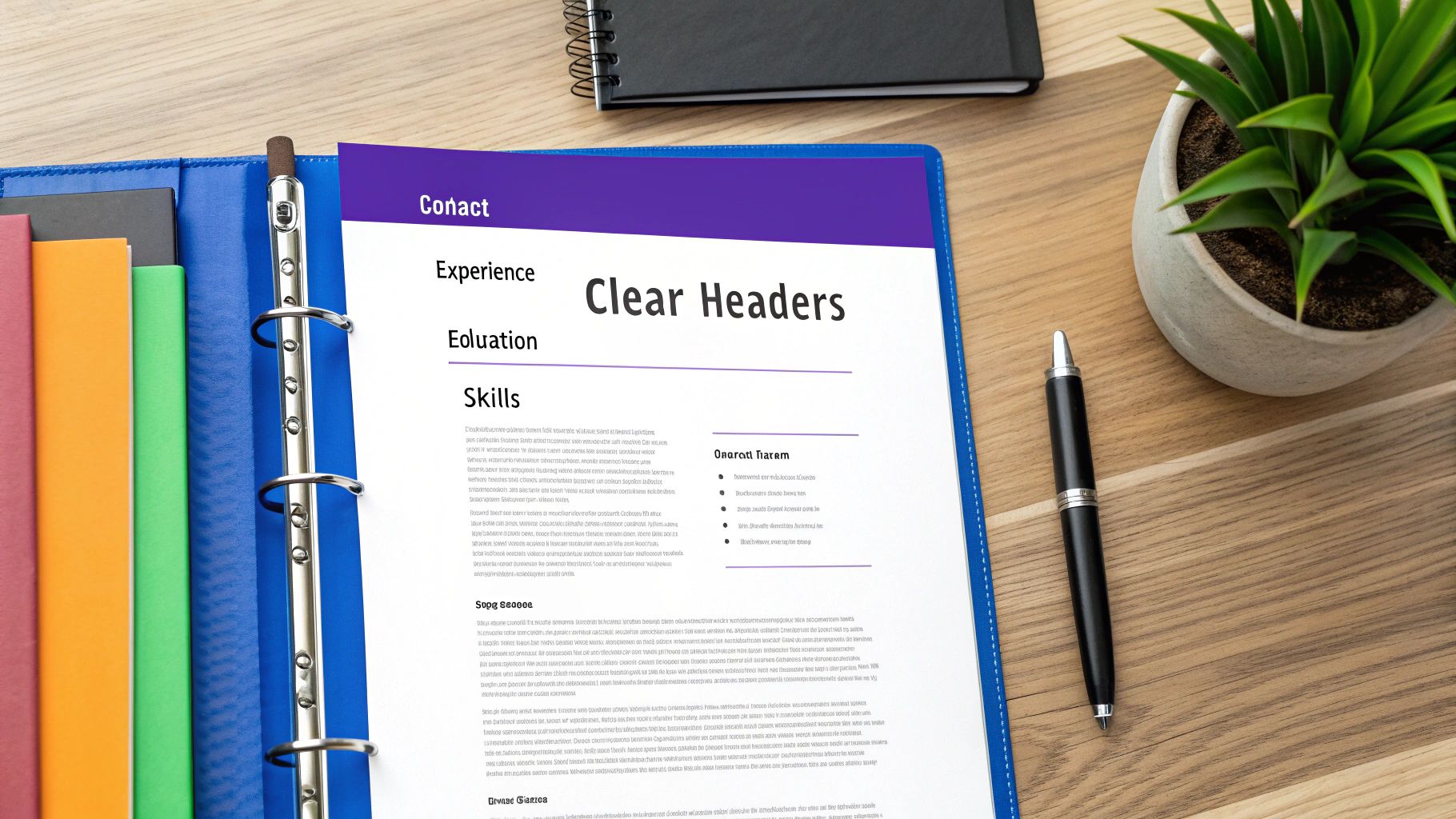
This structural clarity is equally vital for Applicant Tracking Systems (ATS). These systems parse your resume by identifying section headers to categorize the information that follows. Using standard, recognizable titles like "Skills" or "Work Experience" helps the software accurately interpret your career history and qualifications, preventing critical data from being misplaced or ignored.
Why It Works and When to Use It
Clear section headers are universally necessary for every resume, regardless of career level or industry. They create a logical flow and a professional, organized appearance. For instance, a software developer might prioritize a "Technical Skills" or "Projects" section just below their summary to immediately showcase their most relevant qualifications for a tech role.
Similarly, an academic or researcher would place "Education" and "Publications" prominently, as these sections hold the most weight in their field. A recent graduate with limited work experience could lead with a detailed "Education" section followed by "Internships" and "Relevant Projects" to highlight their potential. This strategic ordering, guided by clear headers, allows you to control the narrative and direct the reader’s focus to your strongest assets.
Actionable Tips for Section Headers
To ensure your section headers effectively structure your resume, implement the following guidelines:
- Use Standard Naming Conventions: Stick to conventional and ATS-friendly titles like Summary, Experience, Education, and Skills. Avoid overly creative titles like "My Journey" or "What I Can Do," which can confuse both recruiters and software.
- Create Visual Distinction: Make your headers stand out from the body text. Use bold formatting, increase the font size by 2-4pt (e.g., 14pt headers with 11pt body text), or use all caps.
- Maintain Consistency: Apply the exact same formatting (font, size, style, color) to every primary section header throughout the document. This consistency creates a polished and professional look.
- Order Sections Strategically: Place the most important sections first. For most professionals, this means a Summary followed by Experience. For career changers or recent graduates, Education or Skills might be more relevant to list first.
- Add Visual Separators: Consider adding a simple horizontal line under each header to create a clean visual break between sections, further improving readability.
4. Create an ATS-Optimized Format
Understanding Applicant Tracking Systems (ATS) is one of the most critical modern resume formatting tips for job seekers. An ATS is automated software that over 75% of Fortune 500 companies use to scan, sort, and rank job applications before a human ever sees them. Creating an ATS-optimized format ensures your resume is correctly parsed and evaluated, preventing it from being automatically rejected due to technical glitches.
These systems are designed to read simple text and standard layouts. Complex formatting elements like tables, text boxes, headers, footers, or graphics can confuse the software, causing it to misinterpret or completely ignore vital information about your skills and experience. A clean, ATS-friendly structure is the key to passing this initial digital gatekeeper.
Why It Works and When to Use It
An ATS-optimized format is non-negotiable for virtually any online application, especially when applying to large corporations that receive hundreds or thousands of resumes per opening. HR departments at companies using platforms like Workday and Taleo rely on these systems to manage high volumes of candidates efficiently. Your goal is to make your resume as easy as possible for the software to read.
This approach is essential for any role, from administrative positions to executive leadership, because the initial screening process is almost always automated. For example, a candidate applying for a marketing manager role at a large tech firm might have the perfect experience, but if their resume uses a two-column layout in a text box, the ATS might fail to parse their work history, leading to an instant rejection. For a deep dive into this topic, you can learn more about how to create a resume that beats the bots in our ultimate guide to ATS-friendly resumes.
Actionable Tips for ATS Optimization
To ensure your resume successfully passes through automated screening, follow these specific guidelines:
- Avoid Complex Formatting: Do not use tables, text boxes, columns, headers, or footers. Stick to a simple, single-column linear layout.
- Use Standard Bullet Points: Use standard, solid round bullets (•) or hyphens (-). Custom symbols or graphics can be unreadable by an ATS.
- Include Relevant Keywords: Naturally integrate keywords from the job description throughout your resume, particularly in your skills and work experience sections.
- Choose the Right File Type: Save your resume as a PDF or .doc file. While .docx is common, some older ATS versions may struggle to parse it correctly, making .doc a safer bet if unsure.
- Steer Clear of Visuals: Do not include images, logos, charts, or colored text. These elements can cause parsing errors and are often ignored by the system.
- Use Standard Section Headings: Stick to conventional titles like "Work Experience," "Education," and "Skills" so the ATS can correctly categorize your information.
5. Implement Strategic Keyword Optimization
In today's hiring landscape, your resume must appeal to both human recruiters and Applicant Tracking Systems (ATS). This makes strategic keyword placement one of the most vital resume formatting tips for modern job seekers. Keywords are the specific terms and phrases-often found in the job description-that software and hiring managers use to identify qualified candidates. Integrating them ensures your resume is recognized as a strong match, preventing it from being filtered out before a human even sees it.
Simply listing skills is not enough; the context and placement matter. An ATS scans for specific competencies and qualifications, while a recruiter quickly skims for evidence that you meet the role's core requirements. By strategically embedding keywords in your summary, experience descriptions, and skills section, you create a document that successfully communicates your value to both audiences, dramatically improving your chances of landing an interview.
Why It Works and When to Use It
Keyword optimization is a mandatory practice for nearly every job application submitted online. A software engineer applying to a tech company should weave in terms like "Python," "Agile," and "Git" to match the job description. Similarly, a project manager's resume will gain more traction by including phrases such as "stakeholder management," "risk mitigation," and "PRINCE2" if they are listed as requirements.
This approach is especially critical for career changers who need to demonstrate transferable skills using the language of their target industry. It also benefits professionals in technical fields like finance or healthcare, where specific jargon, certifications, and software proficiencies are non-negotiable. By mirroring the employer's language, you directly show that you understand their needs and possess the exact qualifications they are seeking.
Actionable Tips for Keyword Optimization
To effectively integrate keywords without sacrificing readability, follow these targeted guidelines:
- Analyze the Job Description: Before writing, carefully read the job posting and extract 15-20 key skills, qualifications, and responsibilities. These are your primary keywords.
- Mirror Employer Language: When describing your accomplishments, use the exact phrasing from the job description. If they ask for "financial analysis," use that term instead of "evaluating finances."
- Place Keywords Strategically: Weave keywords naturally into your professional summary, bullet points under each work experience, and your dedicated skills section. This reinforces your qualifications throughout the document.
- Include Industry Jargon: Incorporate relevant acronyms and industry-specific terminology (e.g., SEO, CRM, GAAP) to demonstrate your expertise. Be sure to spell out acronyms at least once if they are not universally known.
- Customize for Each Application: Never use a generic, one-size-fits-all resume. Tailor your keywords for every application to align perfectly with the specific requirements of each unique role. Learn more about how to find the right resume keywords that get you hired.
6. Use Reverse Chronological Order for Experience
Arranging your work history in reverse chronological order is one of the most crucial resume formatting tips for modern job searching. This standard format involves listing your most recent job first and working backward through your career. It immediately shows recruiters and hiring managers your current level of expertise and provides a clear, logical narrative of your professional growth, which is why it's the format favored by over 95% of them.
This structure directly answers a recruiter's first question: "What are you doing now, and is it relevant to this role?" By placing your most recent achievements at the top, you ensure the most pertinent information is seen first. This layout is not just preferred by humans; it is also the most easily parsed and understood format for Applicant Tracking Systems (ATS), ensuring your qualifications are correctly categorized and not missed due to a confusing structure.
Why It Works and When to Use It
The reverse chronological format is the undisputed industry standard across nearly all fields and career levels. It is the default expectation for recruiters at major companies like Google, Microsoft, and virtually all Fortune 500 organizations. This format provides a straightforward timeline of your career progression, making it easy for hiring managers to see your growth in responsibility and skill over time.
This approach is particularly effective for candidates with a steady career path, as it highlights a consistent upward trajectory. Even your LinkedIn profile, the digital extension of your resume, automatically organizes your experience this way. For executive roles, this format is non-negotiable, as it clearly demonstrates a history of leadership and significant recent accomplishments. It is the safest and most effective choice for the vast majority of job seekers.
Actionable Tips for This Format
To implement the reverse chronological format correctly and maximize its impact, follow these precise guidelines:
- List Jobs from Newest to Oldest: Start with your current or most recent role and proceed backward.
- Include Clear Dates: Use both month and year for each position (e.g., January 2022 – Present) to provide a precise timeline. Ensure date formatting is consistent throughout your resume.
- Structure Each Entry: Prominently display your Job Title, followed by the Company Name and its location (City, State).
- Focus on Achievements: Under each role, include 3-5 bullet points that quantify your accomplishments with metrics and results, rather than just listing duties.
- Address Gaps Strategically: If you have significant employment gaps, this format can make them more visible. Consider a brief, professional explanation or explore a hybrid resume format if the gap is extensive and recent.
7. Incorporate Action Verbs and Quantifiable Results
Beyond visual layout, one of the most powerful resume formatting tips involves the content itself: how you describe your experience. Shifting from passive descriptions of responsibilities to dynamic statements of achievement is crucial. Starting each bullet point with a strong action verb and backing it up with quantifiable results transforms your resume from a simple work history into a compelling case study of your impact. This approach proves your value with concrete evidence rather than just stating your duties.

This strategy is effective for both human recruiters and Applicant Tracking Systems (ATS). For recruiters, who spend mere seconds on an initial scan, metrics like percentages and dollar amounts immediately catch the eye and demonstrate tangible value. For an ATS, strong action verbs (like "developed," "optimized," "launched") are often keywords tied to specific skills and competencies, increasing your document's relevance score and helping it pass the initial screening.
Why It Works and When to Use It
This method is universally applicable across all industries and career levels, from recent graduates to senior executives. It's about showing, not telling. Instead of saying you were "Responsible for sales activities," stating that you "Increased sales revenue by 35% ($2.3M) over 12 months" provides undeniable proof of your capabilities. This is particularly critical in results-driven fields like sales, marketing, and project management.
For instance, a project manager might change "Managed team projects" to "Led a cross-functional team of 8 to deliver 3 major projects 15% under budget." This single bullet point communicates leadership, team size, project scope, and financial acumen. Similarly, a customer service professional can elevate their resume by changing "Improved customer satisfaction" to "Improved customer satisfaction scores from 72% to 89% through targeted process optimization." This showcases a direct, measurable impact on business goals.
Actionable Tips for Quantifying Achievements
To effectively integrate action verbs and metrics, apply these specific techniques to each bullet point in your experience section:
- Lead with an Action Verb: Start every bullet point with a powerful verb in the past tense (e.g., streamlined, negotiated, engineered, reduced).
- Use Specific Numbers: Include percentages, dollar amounts, team sizes, project scopes, and timeframes. The more specific, the more credible your claim.
- Focus on Results, Not Responsibilities: Frame your work in terms of the outcome. Ask yourself, "What was the result of my actions?"
- Provide Context: Use before-and-after metrics where possible to highlight the scale of your improvement (e.g., "reduced processing time from 48 hours to 6 hours").
- Avoid Vague Language: Replace weak terms like "various," "several," or "successfully" with concrete data. If you're struggling to find the right words, you can get help from tools that generate resume achievements.
8. Choose Strategic Content Length and Format
One of the most debated yet critical resume formatting tips involves determining the appropriate length for your document. The goal is to provide a comprehensive yet concise overview of your professional history that respects a recruiter's limited time. A resume that is too long risks burying key accomplishments, while one that is too short may fail to demonstrate the depth of your experience.
The ideal length is directly tied to your career stage and the relevance of your experience to the target role. Recruiters spend an average of only seven seconds on an initial scan, so your resume must be scannable and impactful. Strategically curating content ensures that your most compelling qualifications are front and center, making it easy for hiring managers to see your value.
Why It Works and When to Use It
Tailoring your resume's length is essential for every applicant, but the rules change as you advance in your career. For entry-level candidates, a one-page resume is the gold standard, as recommended by career services at institutions like Harvard. This format forces you to prioritize internships, academic projects, and relevant skills, proving you can communicate effectively.
Mid-career professionals with 10+ years of experience can comfortably use a two-page resume. This allows enough space to detail progressive responsibilities and achievements without appearing sparse. For executives or academics with extensive publications, a three-page resume may be appropriate to fully capture the scope of their leadership and contributions. For instance, a senior executive applying for a C-suite role at a Fortune 500 company would need two to three pages to detail their extensive leadership and impact.
Actionable Tips for Content Length
To strike the right balance between detail and brevity, apply these strategic guidelines:
- Prioritize the Last 10-15 Years: Focus on your most recent and relevant experience. If a role is older than 15 years, consider summarizing it in a brief "Earlier Career" section or removing it entirely unless it is exceptionally relevant to the job.
- Keep It to One Page for Early Careers: If you have less than 10 years of experience, stick to a single page. Highlight education, internships, key projects, and transferable skills to build a strong case.
- Use an Executive Summary for Longer Resumes: For two or three-page resumes, start with a powerful summary or "Highlights of Qualifications" section. This gives recruiters a quick snapshot of your top achievements.
- Quantify and Consolidate: Instead of listing every duty, focus on 3-5 major, quantified accomplishments for each role. This saves space and demonstrates impact more effectively than a long list of responsibilities.
8-Point Resume Formatting Comparison
| Item | Implementation Complexity 🔄 | Resource Requirements ⚡ | Expected Outcomes 📊⭐ | Ideal Use Cases 💡 | Key Advantages ⭐ |
|---|---|---|---|---|---|
| Use a Clean, Professional Font | Low — one-time selection and consistency | Minimal — system fonts, PDF export | Improved readability; reliable ATS parsing | All resumes; professional and corporate roles | ⭐ Ensures professionalism and consistent display |
| Maintain Proper Margins and Spacing | Low — adjust layout and iterate | Minimal — word processor time | Cleaner layout; faster scanning by recruiters | Content-dense resumes; any role needing clarity | ⭐ Enhances visual hierarchy and scanability |
| Organize Information with Clear Section Headers | Low–Moderate — plan logical order & styles | Minimal — style presets, time to structure | Faster info retrieval; ATS-friendly categorization | Standard professional and ATS-targeted resumes | ⭐ Improves organization and discoverability |
| Create an ATS-Optimized Format | Moderate — avoid complex formatting; keyword-aware | Low tech; time for testing and validation tools | Higher pass rate through ATS; better matching | Large companies, job boards, high-volume hiring | ⭐ Increases chance to reach human reviewers |
| Implement Strategic Keyword Optimization | Moderate — requires job analysis & tailoring | Time for research; keyword tools recommended | Higher ATS ranking; better recruiter search hits | Competitive roles; niche/skill-specific jobs | ⭐ Boosts relevance and match rates |
| Use Reverse Chronological Order for Experience | Low — standard ordering to apply | Minimal — reorder entries and verify dates | Clear career progression; ATS-preferred format | Most professionals, recruiters' default preference | ⭐ Highlights recent, relevant experience |
| Incorporate Action Verbs and Quantifiable Results | Moderate — craft metrics and strong language | Time to collect data and write concise bullets | More persuasive impact; higher recruiter engagement | Sales, management, project roles with measurable KPIs | ⭐ Demonstrates measurable value and impact |
| Choose Strategic Content Length and Format | Low–Moderate — prioritize and condense content | Time for editing; knowledge of industry norms | Optimal readability; respects recruiter time | Entry-level (1 page) to executives (2–3 pages) | ⭐ Balances completeness with clarity |
Build Your Perfectly Formatted Resume in Minutes
Crafting a resume that gets noticed is a game of precision, where every detail contributes to the final, powerful impression you make. Throughout this guide, we've deconstructed the essential resume formatting tips that separate a good resume from a great one. We’ve moved beyond generic advice to give you a strategic blueprint for success, covering everything from selecting clean, professional fonts and maintaining balanced margins to structuring your content with clear, ATS-friendly headers.
You now have a clear understanding of why a reverse-chronological format is the industry standard and how to leverage action verbs and quantifiable results to bring your accomplishments to life. These elements are not just aesthetic choices; they are functional tools designed to guide a recruiter’s eye, satisfy automated screening systems, and communicate your value proposition in the most efficient way possible. Mastering these formatting principles is the first and most critical step in transforming your career history into a compelling narrative that demands attention.
Key Takeaways: From Theory to Actionable Strategy
Remember, the goal of meticulous formatting is to achieve clarity and impact, ensuring your skills and achievements are not lost in a cluttered or confusing layout. Let’s distill the most crucial takeaways from our discussion:
- Consistency is Non-Negotiable: Uniformity in fonts, spacing, and heading styles creates a polished, professional look. Inconsistencies, even minor ones, can be distracting and suggest a lack of attention to detail.
- ATS Compatibility is Paramount: In today's hiring landscape, your resume must first appeal to a machine. This means using standard section headers, avoiding complex tables or graphics, and optimizing your document with relevant keywords from the job description. A perfectly designed resume is useless if it never reaches human eyes.
- Readability Over Flashiness: While creativity has its place, a resume is a professional marketing document. Prioritize clean typography and ample white space. The easier your resume is to scan, the more likely a hiring manager will absorb your key qualifications in the few seconds they spend on it.
- Content and Format are Intertwined: The structure of your resume should enhance your content, not just contain it. Using bullet points with strong action verbs and metrics makes your achievements more digestible and impactful than dense paragraphs of text.
Your Next Steps to a Flawless Resume
With these insights, you are now equipped to audit your current resume or build a new one from scratch. Start by opening your document and viewing it through the critical lens of a recruiter. Is it easy to read? Can you identify key accomplishments within 10 seconds? Does it follow the ATS-friendly guidelines we’ve outlined?
Don’t just read these resume formatting tips; apply them. Implement one change at a time, whether it's updating your font to Calibri or rewriting your bullet points to include quantifiable results. The value of mastering these concepts extends far beyond a single job application. It empowers you to present yourself with confidence and professionalism at every stage of your career, ensuring your first impression is always a strong one. Think of your resume not as a static document, but as a dynamic tool that you can continually refine to open new doors and unlock new opportunities.
Ready to put these resume formatting tips into action without the hassle? ResumeShaperAI uses advanced AI to instantly apply these best practices, building you a perfectly structured, ATS-optimized resume in minutes. Stop struggling with templates and let our technology craft a professional document that gets you noticed. Build your interview-winning resume today with ResumeShaperAI.